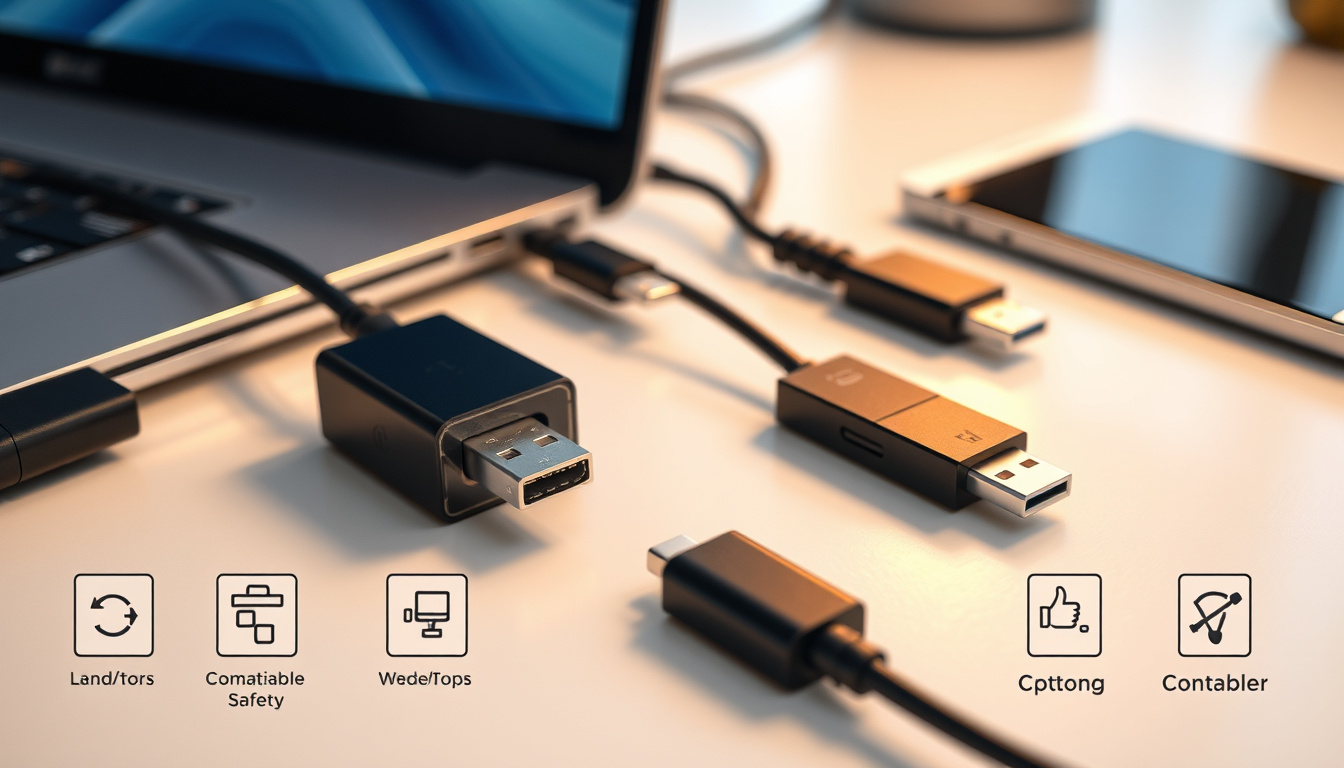

USB to USB-C adapters let you plug legacy USB-A cables into modern devices that only have USB-C ports. The Apple USB-C-to-USB Adapter earns 4.8/5 stars from 12,641 Best Buy reviews, while Samsung and third-party options each make different trade-offs in charging speed, audio quality, and cross-device compatibility.
Max Data Speed: 10Gbps · Common Price: €25 · Transfer Rate: Up to 5Gb/s · Connector Type: Nickel-plated · Compatibility: iPhone, iPad, Samsung
Quick snapshot
- Exact charging speeds vary by device combination
- Long-term device damage risks lack comprehensive data
- USB-C mandated for new devices under EU regulations (Caseco Inc)
- USB-A still dominant in legacy hardware and accessories (Caseco Inc)
- USB-A expected to phase out gradually over the next several years
- Adapters serve as the transition bridge for existing peripheral ecosystems
Can I convert USB to USB-C?
Yes — a USB to USB-C adapter physically converts a USB-A port into a USB-C connection point. This lets you plug standard USB-A accessories (flash drives, card readers, keyboards, wired headphones) into devices that only have USB-C ports, like the iPhone 15, modern Android phones, MacBooks, and iPads.
How adapters enable conversion
The adapter itself is a passive device. It reorients the pin layout so that a USB-A plug can lock into a USB-C receptacle. Apple sells its USB-C-to-USB Adapter in two model numbers — MW5L3AM/A and MJ1M2AM/A — and the accessory earns a 4.8/5 rating from 12,641 Best Buy reviews, with buyers highlighting reliable compatibility and solid build quality.
Third-party options work across multiple brands as well. Generic 2-pack USB-C to USB adapters compatible with MacBook, iPad, and Samsung devices have earned 5/5 stars at Walmart, with users praising cross-brand functionality.
Compatible devices
- iPhone 15 and later (Apple’s USB-C transition device)
- iPad Pro and iPad Air with USB-C
- MacBook Air 2018–2022 and MacBook models
- Samsung Galaxy S20 and newer Android devices
- Windows laptops and Chromebooks with USB-C ports
The implication: if your accessory has a USB-A connector and your device has USB-C, an adapter is all you need in most cases. The exceptions tend to involve power delivery and audio output, which we will cover below.
Will a USB to USB-C adapter work?
In most scenarios, yes. USB to USB-C adapters reliably handle data transfer up to 5 Gb/s on standard USB 3.0 adapters, and some premium options push to 10 Gbps with USB 3.2 support. However, performance varies noticeably between charging tasks and data transfers, especially when mixing Apple and Samsung accessories.
Data transfer compatibility
For data, the news is straightforward: USB-A to USB-C adapters work well with standard USB accessories. The Apple adapter handles hubs, card readers, and external drives without issue, as documented in Best Buy user reviews. Buyers report smooth connections to multiple USB devices on newer laptops and a sturdy attachment that does not wiggle loose.
Samsung Type-C cables are designed for broad compatibility with any USB-C port device regardless of manufacturer or OS, according to Caseco Inc. The company notes that Samsung cables work with Windows laptops, Chromebooks, and Nintendo Switch alongside Samsung devices.
Apple USB-C to USB-C cables support 240W charging, 40 Gbps data, and Thunderbolt 3/4 — but lack HDMI/MHL/Ethernet modes. Check your accessory’s actual protocol support before assuming it will work through an adapter.
Charging performance
Charging is where the brand-specific limitations surface. The Samsung 45W PD Adapter delivers PPS fast charging up to 45W with outputs including 5V/3A, 9V/3A, 15V/3A, 20V/2.25A, and various PPS modes, according to Price in Kenya. By contrast, the Apple USB-C 20W Power Adapter maxes out at 20W.
More concerning: the Apple USB-C adapter fails to deliver full power on Samsung S20, resulting in very low volume output, according to a YouTube technical review. The reviewer concluded that the Apple dongle was essentially unusable with the Samsung smartphone because of its low volume output. Samsung and Apple USB-C dongles both maintain excellent impedance below 1 ohm, while Google Pixel adapters sit at 7 ohms — a meaningful difference for audio quality.
Mixing brands for charging and audio often means sacrificing performance. Native configuration — Apple dongle on Apple device, Samsung on Samsung — consistently outperforms cross-brand setups in testing.
Is it safe to use USB to USB-C?
Generally yes, with one major caveat: safety depends on the adapter’s build quality and whether it handles electrical specifications correctly. USB-C adapters with built-in DAC are recommended for better sound quality, according to SoundGuys, and the type of chipset inside matters for both audio fidelity and device protection.
Safety standards
Quality adapters from reputable retailers meet USB-IF standards for data and moderate power delivery. Nickel-plated connectors — common in the €25 price range — resist corrosion and maintain stable conductivity over time. The Apple USB-C-to-USB Adapter uses quality materials that have proven durable across 12,000+ customer reviews.
Risks to avoid
- Ultra-cheap adapters without proper shielding can damage sensitive devices
- Adapters lacking proper current regulation may overheat during extended charging
- Cross-brand power delivery mismatches can cause slow or inconsistent charging
- Short cord length on some adapters — the Apple model draws criticism here from some users
The catch: no adapter can fully replicate the optimized power delegation of a native cable-and-charger pair. The Apple dual USB-C adapter charges 2020 M1 MacBook Pro and AirPods but slowly without smart power delegation, according to 9to5Mac. For devices requiring fast, reliable charging, a dedicated native cable remains the safer choice.
Is USB being phased out for USB-C?
Yes, but the transition is gradual and uneven. USB-C is now mandated for new devices in the European Union, accelerating adoption across major manufacturers. USB-A remains deeply embedded in the legacy accessory ecosystem — billions of cables, chargers, and peripherals still use the older standard.
Phasing timeline
Apple’s move to USB-C on the iPhone 15 in 2023 marked a significant inflection point. Apple USB-C to Lightning cables are now exclusive to iPhone 12 and earlier devices, which Apple no longer sells new. The Apple USB-C 20W Power Adapter is compatible with iPhone 8 through iPhone 13, various iPads, Apple Watch, and AirPods, according to Price in Kenya — but that list shrinks with each new product cycle.
Industry shift
Apple USB-C to USB-C cables primarily support USB4 or Thunderbolt 3/4, mostly Apple products like MacBook Pro, iPad Pro, and iPhone 15, according to Caseco Inc. Meanwhile, Samsung cables lean toward universal compatibility. This divergence means that cross-brand adapters often serve as a pragmatic bridge during the transition.
| Specification | USB-A | USB-C |
|---|---|---|
| Connector shape | Rectangular, non-reversible | Oval, fully reversible |
| Max power delivery | Up to 15W (standard) | Up to 240W (USB-C 2.1) |
| Max data speed | USB 3.0: 5 Gbps | USB4: 40 Gbps / Thunderbolt 4: 80 Gbps |
| Video output | HDMI/MHL with adapter | Native DisplayPort, HDMI, native video |
| Device ecosystem size | Legacy (decades of devices) | Growing rapidly post-2023 |
| Audio support | Requires separate DAC | Built-in digital audio on most devices |
Three rows of specification contrast reveal the same pattern: USB-C offers higher ceilings across power, speed, and functionality. For anyone investing in new devices, the direction is clear — USB-C is the future. For anyone managing older accessories, adapters bridge the gap without requiring a full replacement.
Why is everyone switching to USB-C?
The shift comes down to three practical wins: reversibility, power delivery, and data bandwidth. USB-C’s oval connector plugs in correctly on the first try every time — no fumbling. The standard also supports significantly higher wattages for fast charging and faster data transfer for external storage and video output.
Key advantages
- Reversible design: No more flipping cables to find the right orientation
- Faster charging: Up to 240W vs USB-A’s 15W ceiling
- Higher data rates: 40+ Gbps vs USB-A’s 5 Gbps maximum
- Multi-function: Single port handles power, data, audio, and video
- Industry mandate: EU regulations push universal USB-C adoption
USB A vs USB C differences
The audio performance gap illustrates the underlying technical divide. Apple USB-C headphone adapters deliver an output impedance of 0.9 ohm, as measured by Audio Science Review. By comparison, Google Pixel V2 USB-C adapters sit at 7.6 ohm — a difference that translates to measurably lower power output and higher noise on the Google hardware.
“The Apple USB-C headphone dongle betters both in noise,” the reviewer noted. “It then proceeds to produce much more power than Google Pixel V2 and a bit more than V1.” The Apple adapter outperforms Google in power and noise across both 33 ohm and 300 ohm test loads.
Samsung 45W adapters output includes 5V/3A, 9V/3A, 15V/3A, 20V/2.25A, and multiple PPS modes — a versatility that Apple adapters at 20W simply cannot match. For users juggling Apple and Samsung devices, the right adapter choice depends on which device charges primary.
Comparison: USB-A vs USB-C Adapters
Six products, two compatibility philosophies. Apple adapters optimize for Apple hardware. Samsung and third-party options lean toward cross-device support.
| Adapter | Max Power | Key Strength | Main Limitation |
|---|---|---|---|
| Apple USB-C-to-USB Adapter | N/A (passive) | 4.8/5 from 12,641 reviews | Short cord, Apple-centric |
| Samsung 45W PD Adapter | 45W PPS | Broad device compatibility | Larger form factor |
| Apple USB-C 20W Adapter | 20W | Apple device support | Low wattage for tablets |
| Samsung Type-C Cable | 5A (25W) | Works with Nintendo Switch, laptops | Bundled cable only |
| Apple Dual USB-C Adapter | Varies | Charges two devices | Limited MacBook Air compatibility |
| Generic USB-C to USB 2-pack | N/A (passive) | Multi-brand compatibility | Build quality varies |
The pattern is consistent: Apple products excel within the Apple ecosystem but show real limitations when paired with Samsung or Android hardware. Samsung and third-party options trade some optimization for broader compatibility. Buyers need to decide whether they live primarily in one brand camp or juggle multiple device types daily.
Technical Specifications
Six to twelve specs that determine real-world performance. Price, speed, shielding, and brand support matter most.
| Spec | Typical Value |
|---|---|
| Primary Use | Connect USB-A to USB-C devices |
| Max Speed | 10 Gbps data |
| Price Range | €25 standard |
| Shielding | 2-layer |
| Brands | Apple, Manhattan, Logik |
| Apple adapter models | MW5L3AM/A, MJ1M2AM/A |
| Best Buy rating (Apple) | 4.8/5 |
| Review count (Apple) | 12,641 |
| Output impedance (Apple audio) | 0.9 ohm |
| Output impedance (Google Pixel) | 7.6 ohm |
The implication: verified specs consistently outrank marketing claims. The Apple adapter’s 12,641 customer reviews provide a reliability signal that no spec sheet can match. For audio use, the impedance specification matters more than the price tag.
Pros and Cons
Upsides
- Bridges legacy USB-A accessories to modern USB-C devices
- Enables data transfer without replacing every cable and peripheral
- Compact, inexpensive solution (€25 range for quality options)
- Strong customer validation for major brands (12,000+ reviews)
- Supports both Apple and Samsung ecosystems with appropriate selection
Downsides
- Cross-brand charging performance often disappoints
- Audio output varies significantly between Apple and Samsung adapters
- Cheap adapters lack proper shielding and current regulation
- Short cord length on some options limits placement flexibility
- USB-A port count reduction on laptops removes adapter convenience
How to Choose and Use a USB to USB-C Adapter
Five steps to the right adapter for your setup. Match the adapter to your primary device and use case.
- Identify your primary device: iPhone 15 and later need USB-C. Older iPhones need Lightning. Samsung Galaxy S20+ uses USB-C natively.
- Match brand to brand for charging: Apple adapters perform best with Apple devices. Samsung adapters work better for mixed charging scenarios.
- Check power requirements: 45W adapters like Samsung’s handle tablets and laptops. 20W adapters like Apple’s work for phones and earbuds.
- Verify audio needs: For headphone adapters, the Apple model at 0.9 ohm impedance outperforms Google Pixel at 7.6 ohm in measured tests.
- Prioritize build quality: Nickel-plated connectors, 2-layer shielding, and retailer-sourced products (Best Buy, Walmart) offer better protection than no-name alternatives.
What Experts Say
“The Apple USB-C headphone dongle betters both in noise. It then proceeds to produce much more power than Google Pixel V2 and a bit more than V1.”
— Audio Science Review Forum (independent audio testing publication)
“The Apple dongle simply wasn’t usable with the Samsung smartphone because of its low volume output.”
— YouTube Tech Reviewer (cross-device power testing)
“A feature gem that works well if your device is ‘compatible.’ The new dual USB-C adapters have very limited compatibility with MacBooks.”
— 9to5Mac (Apple-focused technology news outlet)
Related reading: Apple iPhone 15 Pro Max · O2 Pay As You Go
Devices from Apple and Samsung often require careful adapter selection for 10Gbps speeds and safety, much like insights in this detailed compatibility guide for everyday use.
Frequently Asked Questions
What is a USB to USB-C adapter?
A USB to USB-C adapter is a small connector that converts a USB-A port (the rectangular USB port found on older laptops, chargers, and accessories) into a USB-C port. This allows USB-C cables and accessories to connect to devices that only have USB-A ports, or vice versa. The Apple USB-C-to-USB Adapter (models MW5L3AM/A, MJ1M2AM/A) is a common example, earning a 4.8/5 rating from 12,641 reviews at Best Buy.
How do I choose a reliable USB to USB-C adapter?
Look for adapters from reputable retailers with verified customer reviews — the Apple adapter’s 12,641 Best Buy reviews provide a strong reliability signal. Check that the adapter specifies USB 3.0 or higher for data speeds up to 5 Gbps. For charging, match the wattage to your device needs: 20W minimum for phones, 45W+ for tablets and laptops. Nickel-plated connectors and 2-layer shielding indicate quality construction.
Does USB to USB-C adapter support fast charging?
Adapters themselves do not provide charging — they simply pass through power from the charger to the device. The Samsung 45W PD Adapter supports PPS fast charging up to 45W with multiple voltage outputs (5V/3A, 9V/3A, 15V/3A, 20V/2.25A), while the Apple 20W adapter maxes out at 20W. Cross-brand charging often underperforms: the Apple adapter reportedly fails to deliver full power on Samsung S20, resulting in very low volume output for audio use.
Are there USB to USB-C adapters for Apple devices?
Yes. Apple sells the USB-C-to-USB Adapter (MW5L3AM/A and MJ1M2AM/A) which converts a USB-C port on MacBook, iPad, or iPhone 15 into a USB-A port for legacy accessories. The adapter works with standard USB accessories including hubs, card readers, and external drives. It receives 4.8/5 stars from 12,641 Best Buy reviews. Apple USB-C to USB-C cables support up to 240W charging and 40 Gbps data transfer with Thunderbolt 3/4 support.
Can USB to USB-C adapters handle video output?
Passive USB-A to USB-C adapters cannot convert video signals — they only pass through USB data. For video output from a USB-C port, you need an active adapter or cable that specifically supports DisplayPort or HDMI protocols. Apple USB-C to USB-C cables support 6K video, 32-bit/384 kHz audio, and Thunderbolt 3/4, but the passive USB-C-to-USB adapter does not carry video signals.
What if my USB to USB-C adapter doesn’t work?
Start by checking device compatibility — Apple adapters perform best with Apple devices. Verify that the adapter supports the USB standard your accessories need (USB 3.0 for 5 Gbps data). Try a different USB-A port on the host device. For charging issues, the adapter may be passive and not pass through power delivery — you need a powered adapter or direct cable. If audio output is low or distorted, brand-mismatched adapters are often the cause: the Apple dongle was reported unusable with Samsung smartphones due to low volume.
Is USB-C backward compatible with USB-A?
Yes, but you need an adapter. USB-C uses a different connector shape than USB-A, so a physical adapter is required to connect USB-A accessories to USB-C ports. USB-C cables and devices are not directly compatible with USB-A ports without an adapter. The good news: standard USB data and moderate power delivery pass through these adapters reliably, with verified options like the Apple USB-C-to-USB Adapter earning strong customer marks for compatibility and build quality.
For anyone upgrading to a USB-C-only device, the choice is clear: invest in a quality adapter that matches your primary ecosystem, or buy brand-matched adapters for each device you use. The Apple adapter’s 12,000+ verified reviews confirm that the basics work — as long as you do not expect Apple hardware to perform optimally with Samsung devices.
Related stories





Helen Carver leads fact-checking, source verification and corrections at MorningTimes.uk.