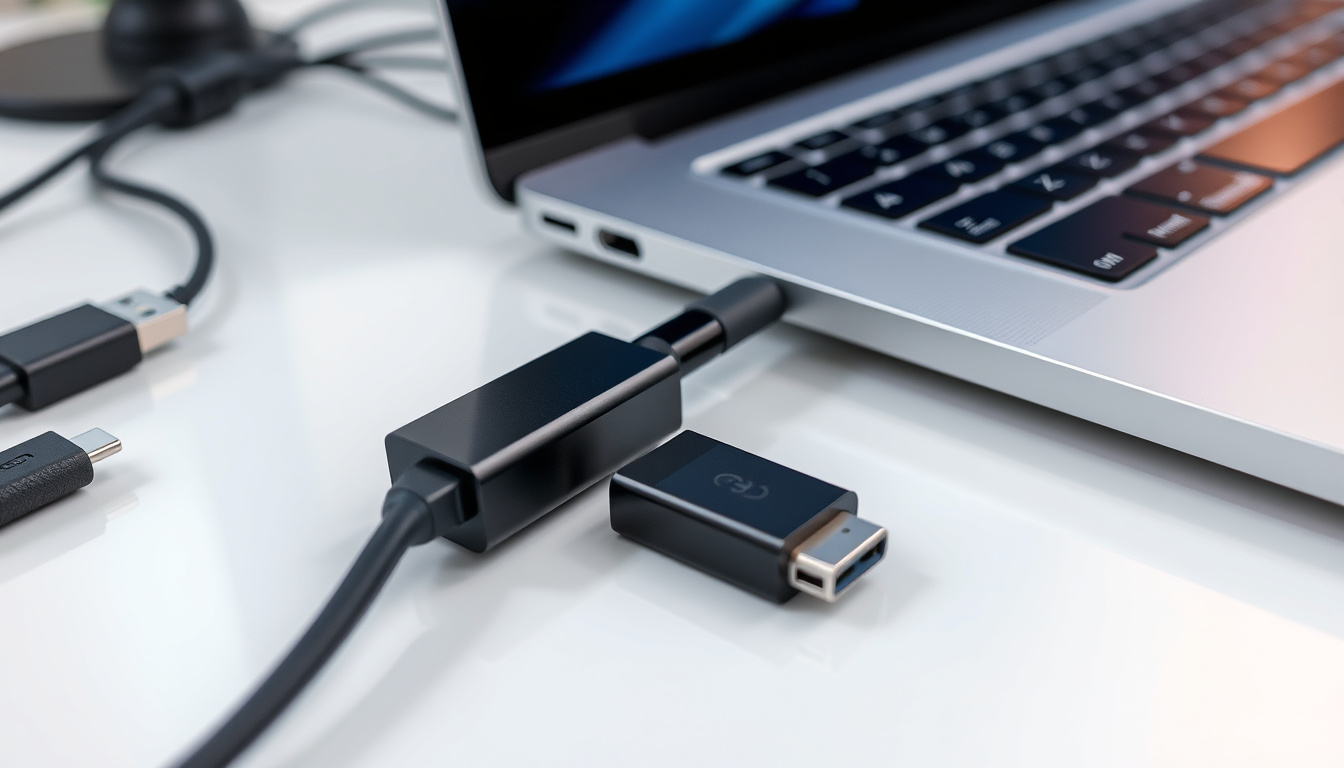

If you’ve recently upgraded to a laptop, tablet, or phone with USB-C ports, you’ve probably discovered that your old accessories—thumb drives, keyboards, and wired peripherals—still use the older USB-A connector. The Apple USB-C to USB Adapter (Apple Ireland Shop) bridges that gap for €25.00.
Beyond the straightforward compatibility question, though, there are real differences in what works, what bottlenecks, and which scenarios trip up even experienced users. This guide sorts through the specs, the compatibility matrix, and the trade-offs so you know exactly what to expect before you buy.
Max Data Speed: 5 Gbps · Supported Devices: Mice, keyboards, thumb drives, printers · Apple Price: €25.00 · Connector Types: USB-C to USB-A · USB Standard: USB 3.0 / 2.0
Quick snapshot
- Adapters support USB 3.0 data speeds up to 5 Gbps (Apple Support)
- Apple adapter for iOS devices priced at €25.00 in Ireland (Apple Ireland Shop)
- Compatible with 12 iPad models across Pro, Air, and mini generations (Stapletons Electrical Ireland)
- Universal compatibility across all USB-C device brands remains inconsistent
- Long-term durability data from Irish market sources unavailable
- USB-C introduced on Mac devices around 2015–2016
- iPhone 15 series launched with native USB-C in 2023, expanding adapter ecosystem
- USB-A devices will increasingly require adapters as USB-C becomes the standard
- EU mandate pushing faster USB-C adoption across device categories
Key Facts
The following specifications summarise what Apple, third-party retailers, and Apple Support documentation confirm about this adapter’s capabilities and limitations.
| Attribute | Details |
|---|---|
| Primary Function | Connects USB-A devices to USB-C ports |
| Data Transfer Rate | Up to 5 Gbps (USB 3.0) |
| Common Brands | Apple, Manhattan, LOGIK |
| Cable Length Options | 0.15m adapters |
| Device Compatibility | Mice, keyboards, drives, printers |
| Power Requirement | No external power required |
Can USB-C be converted to USB?
Yes—USB-C to USB-A adapters enable connection of standard USB devices to USB-C ports. The Apple USB-C to USB Adapter connects Mac devices with Thunderbolt 3 (USB-C) or USB-C ports to devices using USB-A cables (Apple Support). This conversion works in both directions when you have the right adapter: USB-C female to USB-A male, or USB-A female to USB-C male depending on your specific needs.
Conversion methods
The most straightforward method involves a physical adapter like the USB-C to USB-A converter. These adapters are passive devices—no drivers or software installation required—and operate on a plug-and-play basis (Clever Tots Ireland). For scenarios requiring more reach, USB-C to USB-A extension cables offer flexibility while maintaining data transfer capabilities.
Adapter compatibility
The USB-C to USB Adapter supports data-transfer speeds up to 5 Gbps (USB 3.1 Gen 1), which means you won’t experience bottlenecking with USB 3.0 devices (Apple Support). The adapter is compatible with flash drives, cameras, USB hubs, and other USB-A devices for data transfer or charging. Compatible iPad models span the iPad Pro 12.9-inch (6th, 5th, 4th, and 3rd generation), iPad Pro 11-inch (4th, 3rd, 2nd, and 1st generation), iPad Air (5th and 4th generation), iPad (10th generation), and iPad mini (6th generation)—totaling 12 iPad models (Stapletons Electrical Ireland).
The 5 Gbps ceiling works fine for peripherals like mice and keyboards, but external SSDs running at 10 Gbps will only achieve half their potential speed through this adapter. If you’re moving large files regularly, factor this limitation into your workflow.
Is it okay to use a USB to USB-C adapter?
Using a USB to USB-C adapter is perfectly acceptable and safe for data transfer and charging. The USB-C to USB Adapter requires no power to operate, though devices plugged into it may draw power from the host device (Apple Support). Third-party USB-C to USB-A adapters with 10 Gbps high-speed capability are compatible with iPhone 15 series, iPad Pro, MacBook Pro/Air, and Samsung Galaxy devices (Clever Tots Ireland).
Safety considerations
Adapters allow USB Type-C devices on USB-A ports without issue in most cases. Apple’s official adapter is certified to work with their ecosystem, and the adapter enables connection of iOS devices to USB-C or Thunderbolt 3 (USB-C) enabled Mac, iPad, or iPhone (Apple Ireland Shop). Quality matters—certified adapters from reputable manufacturers are safer than unbranded options.
Potential risks
The main risks involve using poorly constructed adapters that may not handle power delivery correctly or could damage connected devices. Always verify compatibility before purchasing third-party alternatives. DID Electrical Ireland markets Apple USB-C chargers and adapters with universal USB compatibility across iOS and Android devices (DID Electrical Ireland), suggesting cross-platform reliability when sourced from established retailers.
Cheap, unbranded adapters may not properly handle the handshake between devices, leading to intermittent connections or data transfer failures. Spending the extra few euros on a certified adapter from a known brand saves headaches down the line.
What is the purpose of the USB-C to USB Adapter?
The USB-C to USB Adapter serves one primary purpose: bridging the physical connector gap between newer USB-C ports and legacy USB-A devices. It connects iOS devices and standard USB accessories to USB-C ports, supporting mice, keyboards, thumb drives, and printers (Apple Support). Without such an adapter, USB-A-only accessories become unusable with USB-C hardware.
Key uses
The most common use cases involve connecting traditional peripherals to modern devices. Flash drives remain prevalent in offices and schools, and many external hard drives still use USB-A connectors. Photography professionals often rely on card readers that haven’t yet transitioned to USB-C. The adapter allows connection of Lightning to USB cables to sync and charge iPhone, iPad, or iPod (Apple Ireland Shop), making it essential for anyone with legacy Apple charging cables.
Device examples
Practical applications include connecting a USB-A keyboard to a MacBook Air, transferring photos from a USB-A flash drive to an iPad Pro, or using a traditional external HDD with modern laptops. Apple’s USB-C charging ecosystem in Ireland includes multiple power adapter wattages: 20W, 70W, 96W, and 140W options (Apple Ireland Shop), but the USB-C to USB Adapter itself handles data, not power delivery.
The adapter handles data beautifully but doesn’t solve charging limitations. If you need to charge a device while using a USB-A peripheral, you’ll need a USB-C hub with power delivery, not just a simple adapter.
Will a USB to USB-C adapter work?
In most cases, yes—a USB to USB-C adapter works reliably for data transfer up to 5 Gbps. The Apple USB-C to USB Adapter is priced at €25.00 in Ireland and supports USB 3.0 and 2.0 devices (Apple Ireland Shop). However, certain scenarios present limitations worth understanding before purchase.
What works
Standard USB-A peripherals function reliably with these adapters. Keyboards, mice, printers, and USB 2.0/3.0 flash drives work without issues. USB 3.0 devices achieve their full speed potential since the adapter supports 5 Gbps transfer rates. Select Online Ireland offers free shipping on orders over €40, with a €5 delivery charge for orders under €40 (Select Online Ireland), making it easy to source the adapter from reputable Irish retailers.
What breaks
High-speed USB 3.1 Gen 2 devices (rated for 10 Gbps) will be bottlenecked to 5 Gbps through the adapter. Devices requiring more than 900mA of power may underperform. Some older USB 1.1 devices with proprietary firmware may not initialize correctly. The adapter works for data transfer but doesn’t provide video output—monitors requiring DisplayPort or HDMI signals through USB-A won’t work.
What are the disadvantages of USB-C?
USB-C’s main disadvantages revolve around the transition period rather than inherent flaws. Higher-cost adapters are required as USB-A devices become less common, creating an initial investment for users with existing accessories. Not all cables are reversible without adapters, and the smaller connector size can feel less secure than the chunky USB-A (Apple Support).
Drawbacks vs USB-A
USB-A’s physical design provided a clear “right side up”—you knew when you had the connector oriented correctly. USB-C’s reversibility, while convenient, can lead to confusion about whether the connection is secure. The smaller form factor also means the port itself can be damaged more easily if the cable is bent or pulled at an angle. Additionally, not all USB-C cables support the same capabilities—some handle only charging, others data, and only quality cables combine both with power delivery.
Transition challenges
The transition from USB-A to USB-C creates a period of adapter dependency that frustrates users with existing peripheral collections. USB-C replacing older cables for speed and versatility is driving adoption, but the learning curve is real. Apple’s adapter ecosystem demonstrates the company’s commitment to smoothing this transition, with options available through Education and Business stores in Ireland (Apple Ireland Education Store) alongside standard retail channels.
The EU mandate requiring USB-C as standard for electronic devices by 2024 means the transition is accelerating. Expect USB-A-only devices to become increasingly scarce, making USB-C adapters a near-term necessity rather than a long-term investment.
USB-C Adapter Specifications
The Irish market offers several Apple USB-C power adapters alongside the USB-C to USB data adapter, each serving different charging needs.
| Adapter Model | Price (Ireland) | Data Speed | Primary Use |
|---|---|---|---|
| Apple USB-C to USB Adapter | €25.00 | 5 Gbps | Data transfer, peripheral connectivity |
| Apple 20W USB-C Power Adapter | Varies | N/A | Fast charging (50% in 30–35 min for iPhone) |
| Apple 70W USB-C Power Adapter | €65.00 | N/A | Charging laptops, tablets |
| Apple 96W USB-C Power Adapter | €85.00 | N/A | Charging higher-power laptops |
| Apple 140W USB-C Power Adapter | €119.00 | N/A | Charging MacBook Pro at full speed |
The Apple 20W USB-C Power Adapter achieves 50 percent battery charge in around 30–35 minutes when paired with iPhone 8 or later (Apple Ireland Shop). The 20W adapter offers optimal charging performance when paired with iPad Pro and iPad Air (Apple Ireland Shop), though the USB-C to USB Adapter itself handles data, not power.
Pros and Cons
Upsides
- Connects legacy USB-A devices to modern USB-C hardware
- Supports USB 3.0 speeds up to 5 Gbps
- No drivers or software required—plug and play
- Compact and portable form factor
- Works with 12+ iPad models and Mac computers
- Enables Lightning to USB syncing for iOS devices
Downsides
- Bottlenecks 10 Gbps devices to 5 Gbps
- Doesn’t support video output
- Not all USB-A devices draw power correctly
- No power delivery through the adapter itself
- EU transition may render USB-A devices obsolete faster
- Quality varies significantly in third-party options
How to Choose the Right USB-C to USB Adapter
Selecting the appropriate USB-C to USB adapter requires matching your specific devices and use case requirements.
- Identify your USB-A devices. Determine which peripherals you need to connect—keyboards, mice, flash drives, printers, or external storage. Each has different bandwidth requirements.
- Check speed requirements. If you’re using USB 3.0 devices, the Apple adapter’s 5 Gbps ceiling is sufficient. For USB 3.1 Gen 2 devices, consider higher-speed third-party options or a hub instead.
- Verify device compatibility. Confirm your USB-C host device (Mac, iPad, iPhone 15+) supports USB-A peripherals through an adapter. Apple’s support documentation lists compatible iPad models (Apple Support).
- Source from reputable retailers. Purchase from Apple directly, authorized resellers like DID Electrical Ireland (DID Electrical Ireland), or established electronics retailers to avoid counterfeit products.
- Consider future needs. If you’re transitioning away from USB-A entirely, a USB-C hub with multiple ports and power delivery might serve better than individual adapters.
Expert Perspectives
“The USB-C to USB Adapter lets you connect your iOS devices and many standard USB accessories to your USB-C or Thunderbolt 3 (USB-C) enabled Mac, iPad, or iPhone for charging and data transfer.”
— Apple Support (Official product documentation)
“Third-party USB-C to USB-A adapters require no drivers or software installation and operate on a plug-and-play basis, compatible with iPhone 15 series, iPad Pro, MacBook Pro/Air, and Samsung Galaxy devices.”
— Clever Tots Ireland (Irish electronics retailer)
“Apple USB-C chargers and adapters provide universal USB compatibility across iOS and Android devices, making them versatile additions to any tech setup.”
— DID Electrical Ireland (Irish electronics retailer)
Related reading: USB to USB-C adapter compatibility
Upgrading to USB-C laptops like ASUS VivoBooks often requires bridging older flash drives and keyboards, much as outlined in this USB C to USB guide.
Frequently asked questions
How do I choose a reliable USB-C to USB adapter?
Look for adapters from established manufacturers with clear USB-IF certification. Check whether the adapter supports USB 3.0 (5 Gbps) or higher speeds if you need faster data transfer. Read reviews about build quality and durability, especially regarding the connector housing. Purchase from reputable retailers like Apple’s own store, authorized resellers, or established electronics chains rather than unknown online marketplaces.
Does a USB-C to USB adapter charge devices?
The USB-C to USB Adapter itself doesn’t deliver power to devices. It requires no power to operate, though devices plugged into it may draw power from the host device (Apple Support). For charging capabilities, you need a USB-C power adapter rated for your specific device—options range from 20W for phones to 140W for laptops.
Are all USB-C to USB adapters USB 3.0 compatible?
Not all adapters support USB 3.0 speeds. Budget or older adapters may only support USB 2.0 (480 Mbps), which significantly impacts data transfer times for large files. The Apple USB-C to USB Adapter supports USB 3.0 data speeds up to 5 Gbps (Apple Support), but always verify specifications before purchasing third-party alternatives.
Can I use USB-C to USB adapter for video output?
No—the USB-C to USB Adapter does not support video output. It’s designed exclusively for data transfer and charging. Monitors requiring DisplayPort, HDMI, or other video signals through USB-A won’t work with this adapter. For video output, you need a USB-C to HDMI adapter, USB-C DisplayPort adapter, or a USB-C hub with video capabilities.
What speed does USB-C to USB adapter support?
The Apple adapter supports up to 5 Gbps (USB 3.1 Gen 1) (Apple Support). Third-party adapters may support higher speeds—some claim 10 Gbps (USB 3.1 Gen 2)—but verify these claims through independent reviews before purchasing.
Is a USB-C to USB adapter needed for older laptops?
If your older laptop has USB-A ports, you don’t need an adapter to use USB-A peripherals directly. The adapter becomes necessary when your laptop only has USB-C ports and you want to connect USB-A devices. Modern ultrabooks and slim laptops increasingly ship with USB-C only, making adapters essential for users with existing USB-A accessories.
Do USB-C adapters work with Samsung devices?
Yes—USB-C to USB-A adapters are cross-platform compatible. Third-party USB-C to USB-A adapters with high-speed capability are compatible with Samsung Galaxy devices (Clever Tots Ireland). Samsung’s Galaxy devices use standard USB-C ports, so any USB-C to USB-A adapter should function correctly.
How to troubleshoot USB-C to USB adapter issues?
If the adapter isn’t recognized, try a different USB-C port on your host device—the port may be damaged or the wrong type (some USB-C ports are charging-only). Test with a different USB-A device to rule out peripheral issues. Check if the USB-A device requires more power than the adapter can provide. As a last resort, try a different adapter to isolate whether the issue is the adapter itself.
For Irish buyers, the choice between Apple’s official adapter and third-party alternatives is clear: spend the extra euros for peace of mind and guaranteed compatibility with your Apple ecosystem. The €25.00 investment covers reliable data transfer for mice, keyboards, and flash drives—exactly what most users need. Those with demanding storage workflows should budget for a dedicated USB-C hub with power delivery rather than relying on a simple adapter.
Related stories





James Holloway covers culture, lifestyle and society for MorningTimes.uk.